Purpose
There is often a need to apply additional loads to trusses. These loads might come from walls or sprinkler lines, for example. When trusses are loaded individually, it's easy to make mistakes, and some loads may not be in the correct location or have the correct magnitude. Applying load via a line provides the ability to draw a line and apply a load to it; then, all of the trusses it touches will have an accurate load at the correct location.
Draw a line and apply a load to it; all trusses the line intersects will have an accurate distributed load applied at the correct location.
You can turn Load Line visibility on or off in the Layers and Filters menus.
Prerequisites
A layout
Steps
 , or right-click to select.
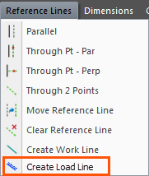
The following prompt displays:

-
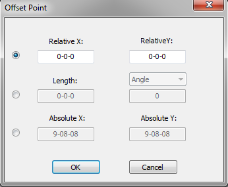
Select the first point using snap points or selects two lines that intersect at a point. Press the space bar prior to selecting if you want to offset the point. If you do this, the Offset Point window displays.
The first end of the load line is locked at the first point. (The other end of the line moves around as you move the cursor).
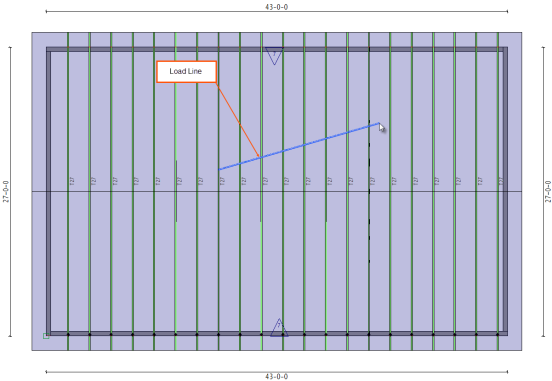
The following prompt displays:

- Select a second point or input a distance and direction into the layout commands toolbar (these are the same commands that are used for creating walls).
The load line is created.
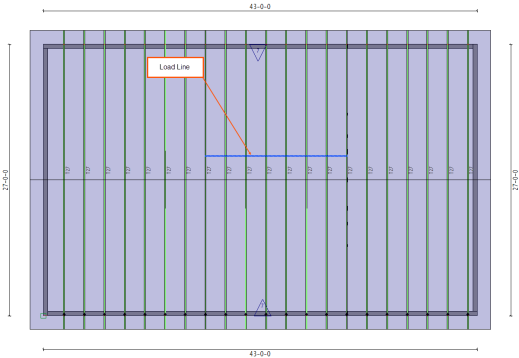
The Component Loading window displays.
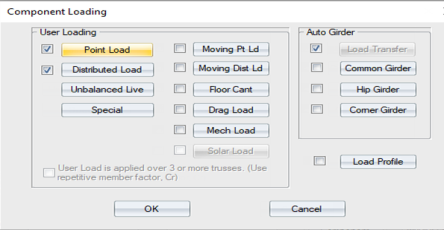
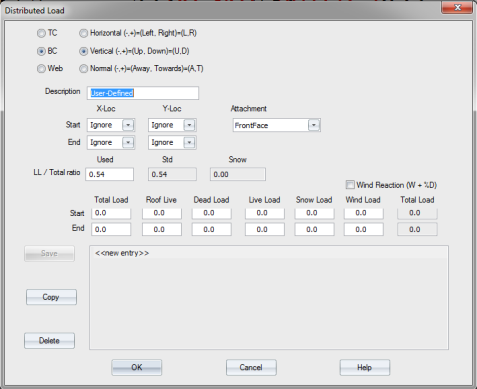
The Distributed Load window displays.
The Component Loading window displays.
 Note: If the load line crosses three or more trusses and the trusses have a spacing that is 24” on center or less, the Use Repetitive member factor check box is selected.
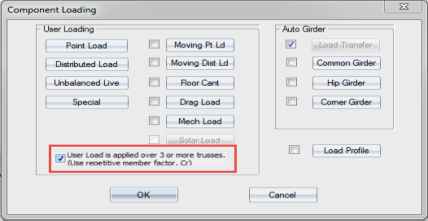
- Click OK.
The load is applied to the line and is transferred to the trusses that it crosses. The load is applied to the trusses as a point load.
.
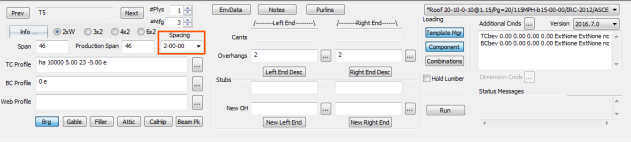
Note: The truss spacing on the individual component is used to determine the point load, not the actual spacing on the layout.
 More About Load Lines
- A load line crossing a partial group of trusses will un-consolidate the partial group and the unconsolidated trusses will get system-generated labels.
- If the load line crosses all trusses in a group the trusses will retain their labels, unless the load line load is a trapezoidal load.
- A load line with a trapezoidal load crossing a consolidated group of trusses results in the trusses becoming unconsolidated, because each truss will have a different load at the load line. You can then manually consolidate them. If they are manually consolidated, they will take on the load of the truss that they are consolidated into.
- A load line must pass entirely over the truss in order for it to transfer the load to the truss. In other words, the line must cross both truss edges in order to get the point load from the line.
- If a load line with a distributed or trapezoidal load is parallel to the truss and is located within the boundaries of the truss, a distributed or trapezoidal load is applied to the truss at the location of the line.
- Trusses that are analyzed prior to being intersected by a load line will be set to unanalyzed after the load line is added.
-
Each load on the load line corresponds to one point load on the truss. Therefore, if there are multiple loads input on the load line there will be multiple point loads at the same location on the truss; this may be from multiple distributed loads or point loads or a combination of those loads.
- You can edit the layer that the load line is located on. When a load line changes layers the point loads are removed from the trusses on the old layer and new points loads are applied to trusses on the new layer. Load lines only transfer loads to trusses that are on the same layer as they are on.